From AI Prototype To Production-Ready MVP: What Has To Change Before Real Users Arrive
The easiest part of an AI product is the demo.
The harder part is making it work for real users, with accounts, permissions, payments, integrations, data privacy, support, monitoring, and AI costs that do not surprise you after launch.
That is where many AI MVPs break.
The first version looks impressive. The AI responds. The interface feels alive. Investors, customers, or internal stakeholders can finally see the idea.
Then the founder asks the questions that matter:
- Can users sign up, invite teammates, and recover their accounts?
- Can they pay, upgrade, downgrade, or hit a usage limit safely?
- Can the product connect to the systems they already use?
- Can the system handle bad inputs, missing data, and edge cases?
- Can we explain or trace the AI output when a user questions it?
- Can we control model cost before usage grows?
- Can we support the product after launch without guessing what happened?
This is where prototype energy meets production reality.
The prototype trap
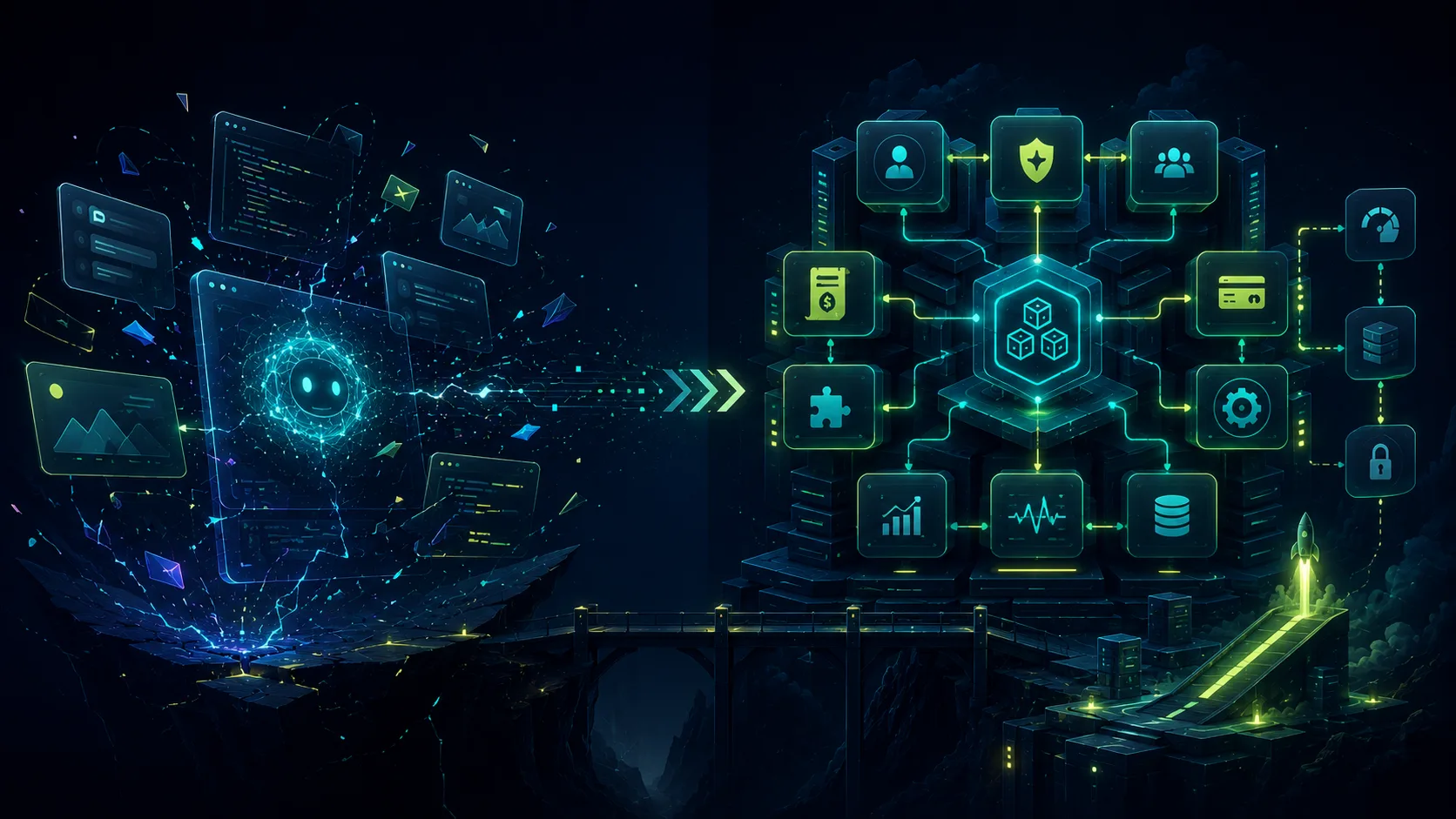
AI makes prototypes feel closer to products than they are.
That is useful and dangerous.
Useful because founders can test ideas faster.
Dangerous because visible progress can hide the missing product infrastructure underneath.
A prototype can skip authentication, billing, permissions, admin workflows, error handling, tests, deployment strategy, monitoring, rollback, and data privacy.
A product cannot.
This is why the question should not be “Can AI build the screen?”
The question should be “Can this product survive real usage?”
What production-ready actually means
Production-ready does not mean perfect.
It means the product is stable enough for real users, real data, and real business workflows.
For an AI MVP, that usually includes:
- A clear core product loop.
- Account creation and onboarding.
- Billing, usage limits, or access control.
- Role and permission logic.
- Reliable API integrations.
- Email and notification flows.
- Error handling and recovery states.
- AI quality feedback loops.
- Logging, monitoring, and support visibility.
- Security checks.
- Deployment and rollback process.
- Cost controls for AI usage.
These are not “enterprise extras.” They are the foundation of a product people can use.
Production-ready for an AI MVP also means the AI behavior is observable. Prompts should be versioned. Important outputs should be traceable. Model failures should have fallbacks. Cost per workflow should be understood before it becomes a margin problem.
Even a small MVP should be able to answer four questions:
- What happened?
- Why did it happen?
- What did it cost?
- How do we recover if it fails?
If the team cannot answer those questions, the product is still closer to a demo than a system.
What breaks after the demo
Most AI prototype problems do not show up in the happy-path demo.
They show up when real users arrive.
Imagine a founder who has a working document assistant. In the demo, a user uploads a file, asks a question, and gets a useful answer.
That is enough to validate interest. It is not enough to launch.
Before real users depend on it, the product needs to answer questions like:
- What happens when upload processing fails?
- How is each user’s data isolated from every other account?
- What context is sent to the model?
- Can the user delete a source document and remove it from future answers?
- Are answers cited when trust matters?
- What happens when the model is slow, unavailable, or too expensive for the workflow?
- Can support review the prompt, context, and output that created a bad answer?
Those details are not polish. They are the difference between a smart demo and a product customers can trust.
The AI-specific production checklist
AI products add requirements normal SaaS products do not have.
Before launch, the team should turn these questions into decisions:
- Data boundary: What data is sent to the model, what is stored, what is redacted, and what should never leave the application?
- Prompt boundary: Where are prompts stored, how are they versioned, and who can change them?
- Cost boundary: What is the expected model cost per completed user workflow, and where are usage alerts or caps enforced?
- Latency boundary: Which workflows need streaming, which can run in the background, and which should be deterministic software instead of AI?
- Quality boundary: What counts as a good output, how are bad outputs reported, and what gets reviewed before a prompt change ships?
- Failure boundary: What does the user see when the model is unavailable, slow, wrong, or rate-limited?
- Trust boundary: Which outputs require citations, traceability, approvals, or human review?
- Security boundary: How does the system reduce prompt injection, secret leakage, unsafe tool calls, and generated-code supply-chain risk?
The strongest AI MVPs do not use AI everywhere. They use normal software where the workflow should be predictable and AI where the output is high-value, hard to encode with rules, or meaningfully improves the user experience.
A practical reference architecture
Every product is different, but a production-ready AI MVP usually needs a shape like this:
- A web application with clear account, user, and permission boundaries.
- A database schema designed around the core product loop, not around the first demo screen.
- Background jobs for slow AI workflows, file processing, embeddings, retries, and notifications.
- Streaming only where the user experience actually benefits from seeing the answer arrive in real time.
- Prompt templates stored and reviewed like product logic, not hidden in random controllers or one-off scripts.
- Logs that connect the user action, prompt, model, context, response, cost, and failure state.
- A small evaluation set for the most important AI outputs, even if the first version only has ten high-quality examples.
- Deployment, rollback, and monitoring so the team can ship without guessing.
For Laravel-based AI products, that often means leaning on queues, scheduled jobs, notifications, policies, first-party billing or subscription logic, structured logs, and a small set of service classes around the model calls.
The specific stack matters less than the discipline: the AI layer should be part of the product architecture, not a pile of generated glue code.
Where Somnio starts
Somnio’s AI MVP process starts before implementation.
We map the product, architecture, and risk areas first because those decisions shape everything that follows.
An AI MVP Architecture Call is designed to clarify:
- The core product loop.
- The smallest useful version worth building.
- What should be cut from the first release.
- Where AI creates real product value.
- Where deterministic software is safer, cheaper, or easier to support.
- What data, permissions, integrations, and workflows the product needs.
- Which model calls affect cost, latency, quality, and risk.
- What should be tested, monitored, and reviewed before launch.
The output should not be a vague conversation. It should become a practical architecture direction: product scope, risk map, data flow, integration plan, AI workflow, cost-control strategy, QA approach, and launch checklist.
That lets AI accelerate the build without turning the codebase into a collection of disconnected generated parts.
What a production path can look like
Not every AI MVP needs the same timeline.
If you are still validating the idea, the right next step may be a short validation sprint: prove the core loop, test real inputs, and learn whether users care enough to keep going.
If you already have a promising prototype, the next step is usually production planning: architecture, scope, cost controls, and a launch path.
For many founder-stage AI products, a realistic path looks like this:
- Architecture and scope: define the core loop, system boundaries, data flow, model usage, integrations, and build plan.
- Core product build: implement authentication, onboarding, billing or access control, the main AI workflow, and the first critical integration.
- Hardening: add logging, cost tracking, prompt versioning, failure states, QA checks, security review, and deployment workflow.
- Launch and feedback: onboard real users, monitor behavior, review bad outputs, improve prompts and retrieval, and tighten the product around what users actually do.
The important point is not that every product follows the same schedule.
The important point is that the build has a product loop, a technical architecture, a risk plan, and a launch definition before the team starts adding features.
What founders should avoid
Avoid building your AI MVP around the demo.
Avoid choosing tools before defining the workflow.
Avoid letting the model invent your architecture.
Avoid adding AI to every feature.
Avoid sending sensitive data to a model without a data-boundary decision.
Avoid shipping without cost alerts, logging, and feedback loops.
Avoid treating QA as something you do after the AI finishes coding.
Avoid assuming the first generated version is the maintainable version.
These mistakes do not always show up on day one. They show up when users arrive.
What to do instead
Start with the product loop.
Define the architecture.
Build the smallest useful version.
Use AI to accelerate implementation.
Use QA to protect the codebase.
Capture repeated patterns as reusable prompts, specs, and test cases.
Launch with feedback loops, monitoring, and cost controls.
That is how an AI prototype becomes a production-ready MVP.
Before you book an architecture call
You do not need every answer before talking to a team like Somnio.
But you should know enough to have a useful conversation.
Start with these five questions:
- Who is the first real user, and what painful workflow are they trying to complete?
- What input does the product need, and where does that data come from?
- What output should the AI produce, and how will the user know whether it is useful?
- Which parts of the workflow must be predictable, approved, audited, or reversible?
- What would make the first version worth launching instead of remaining a demo?
If you can answer those, an architecture call can turn the idea into a buildable plan.
If you cannot, start with a readiness checklist, a validation sprint, or a narrower prototype before committing to a production build.
The final question
If you are building an AI product, ask yourself this:
Are you creating a demo that looks impressive, or a product system that can survive real users?
If you are not sure, that is exactly the conversation to have before the build starts.
Book an AI MVP Architecture Call with Somnio and we will help you map the core product loop, production risks, launch requirements, and smallest version worth building.
Related resources
- AI MVP development
- AI-assisted software development process
- Development timeline estimator
- AI savings calculator
- Architecture consulting