An offline badge is not an acceptance test
An app can open without a connection and still lose the work that matters. A production count may remain only on one tablet. A retry may create two entries. A new shift may inherit the previous worker’s unfinished submission.
Offline acceptance means staff can complete the allowed work and the business can account for the result. Test both the local experience and the authoritative record after reconnection.
This guide starts after the main design decisions. For delivery-model selection, see PWA versus native apps for field operations. For wider design questions, use the enterprise mobile architecture checklist.
Write the workflow that must survive
Choose one operational action, such as recording a completed production batch. Name the actor, required local information, permitted offline edits, and final system of record. Specify actions that must wait for a connection, such as an approval requiring a current server check.
Define the expected interruption period from actual working conditions. List the tablets, phones, operating systems, browser or app versions, and managed-device settings in use. Include the oldest supported device, not only a developer’s current phone.
Use representative test data without unnecessary personal or confidential information. Assign an operator to confirm usability and a technical owner to compare local actions with server records. Both are needed to establish acceptance.
Build an operational acceptance matrix
Use this as a starting worksheet. Add the device, test record reference, observed result, evidence, and reviewer for each run.
| Condition | Operator action | Required evidence |
|---|---|---|
| Network unavailable before entry | Create an allowed offline record | Local pending state survives app restart |
| Connection drops during submit | Continue, then reconnect | One accepted server record, not duplicates |
| Server accepts but response is lost | Retry the same action | Existing result is recognized |
| Two devices change one record | Reconnect both | Documented conflict rule, no silent loss |
| Upload fails after fields arrive | Retry the attachment | Record does not falsely appear complete |
| Session expires with pending work | Sign in through the approved path | Work and attribution remain correct |
| Shared device changes user | Hand over using the agreed procedure | No cross-user exposure or reassigned authorship |
| Server rejects a change | Open the failed item | Reason, correction, and escalation are visible |
Write a pass condition before running each test. “Sync worked” is too vague to prove that required attachments arrived or that a supervisor’s correction survived.
Lose the network at different points
Test full disconnection, weak signal, and repeated connection changes. Interrupt the workflow before save, during submission, and after the server accepts the request but before the app receives confirmation.
That last condition matters because the user may reasonably press retry. The accepted result must be recognized rather than created again. Test repeated taps and automatic retries together, then count the resulting business records.
Restart the app with pending work. Lock the device and return later. Test what happens when the operating system stops the app. Do not assume background work will always run while the screen is closed. The visible recovery path must work under supported device behavior.
Make conflicts an explicit test
For a hypothetical example, a worker records a batch quantity offline while a supervisor corrects the same batch online. Reconnect the worker’s device and inspect both versions.
The expected result depends on the business rule. Different fields may merge safely; competing quantities may require review. Arrival order alone does not tell the system which entry is correct, and a device clock may be wrong.
Test whether staff can see the conflict, identify its source, and resolve it without losing the original information needed for review. Confirm the decision reaches the server and every affected device. A warning that disappears without a recorded resolution is not sufficient.
Test sessions and shared-device handoffs
Expire a session while edits are pending. Confirm the app does not discard work without warning or upload it under the next user’s identity. Test the agreed behavior for revoked access when the device reconnects.
On shared devices, follow the real shift-change procedure. Check what the next worker can view, whether unsent work remains protected, and who can recover it. Define whether handoff requires synchronization, a supervisor action, or a controlled local hold.
Do not solve every issue by telling users to clear storage or reinstall the app. Those actions can destroy the only copy of pending work. Test a recovery procedure that preserves the record and respects access rules before staff use it in production.
Check the status language with operators
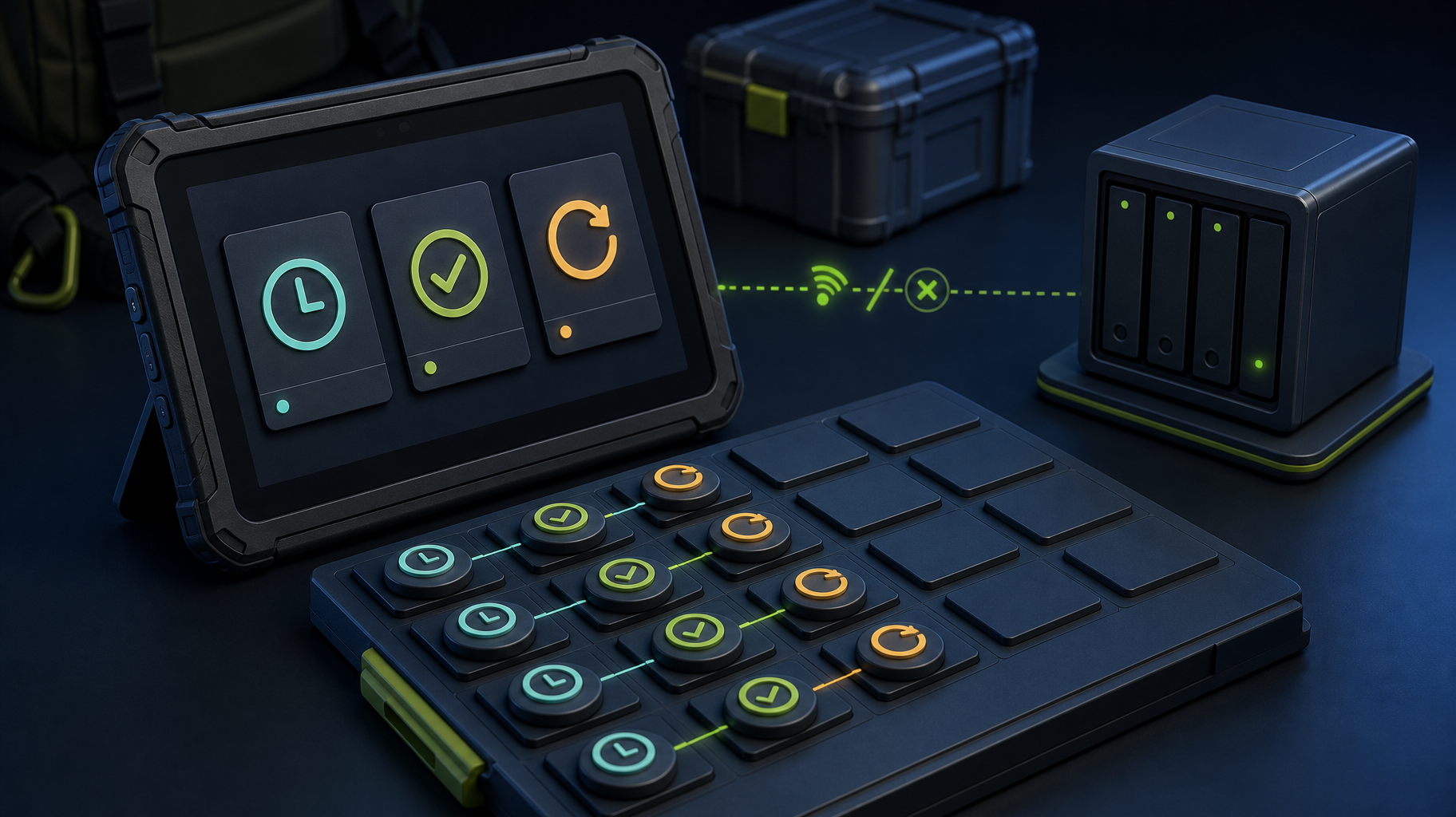
At minimum, distinguish locally saved and pending, in progress, server-confirmed synced, and failed work. A green check should not mean only that a record was stored on the device.
Show enough information to act: affected record, failure reason, last attempt, and next step. Where reports show only server-confirmed data, make that limit visible so managers do not mistake an incomplete total for the day’s final production.
Ask an operator to find an unsent item without guidance. Then ask them to correct a rejected value and confirm completion. If only a developer can interpret the status, the recovery experience needs more work.
Expand only after the bounded pilot reconciles
Somnio’s food-processing PWA case study describes encrypted offline storage, a synchronization queue, and a pilot on one production line before facility-wide use. It supports the value of a bounded operational rollout; it does not publish a device-by-device test log or a universal sync success rate.
For your pilot, reconcile local actions with server records, quantities, and required attachments. Record failures and staff recovery effort. Set the stop/go criteria with the operational owner before adding more users or lines.
Run one recovery test before buying more scope
Take one supported device and one test record. Disconnect, save, restart, reconnect, and verify the server result. Repeat with a lost response and a conflicting edit. Complete the matrix with evidence and unresolved questions. This is a useful self-service start even if another team built the app.
If those tests reveal unclear ownership or missing recovery paths, Somnio’s mobile development services can help scope the workflow and pilot. Bring the failed scenarios, not only the successful screens.