Start with the outcome, not the label
“We need AI” and “we need custom software” are often different ways of describing the same problem: work is moving slowly, inconsistently, or invisibly between people and systems.
The useful decision is not which label sounds more modern. It is what needs to change for one valuable workflow to finish with less manual effort and less operational risk.
AI automation is strongest when it helps interpret unstructured information or accelerates a repeatable step. Custom software is strongest when the business needs to own the workflow around that step: the records, permissions, approvals, integrations, exceptions, and reporting. A simple integration may be enough for either problem.
Before buying a platform or funding a build, write down one sentence: when this trigger happens, this person needs to reach this outcome, using these systems, with these exceptions handled safely. That sentence makes the next choice easier.
The practical difference
| Option | What it changes | Best fit | Common failure mode |
|---|---|---|---|
| Process improvement | Removes unnecessary steps or clarifies ownership | The work is unclear or inconsistent | Automating a process nobody has agreed on |
| Integration or rule-based automation | Moves known data between systems | Inputs and rules are predictable | Silent failures, duplicate records, unclear source of truth |
| AI automation | Extracts, classifies, summarizes, drafts, or routes messy information | Staff repeatedly interpret text, documents, or messages | Letting AI make final decisions without review |
| Custom software | Creates an owned workflow, interface, permissions, and reporting | The process is central, exception-heavy, or poorly served by current tools | Rebuilding an entire platform instead of solving one bottleneck |
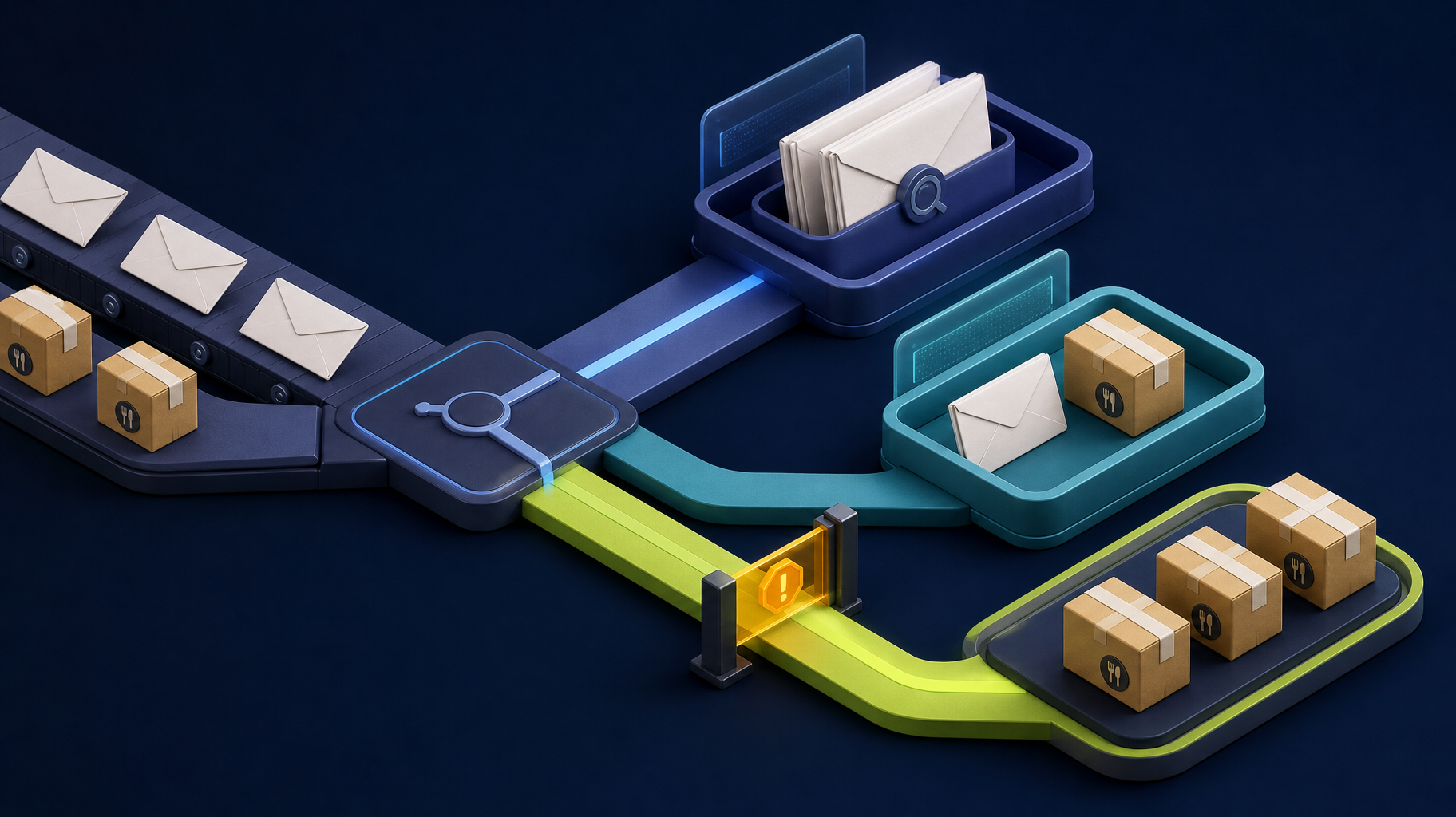
The categories are not competitors in every situation. A good implementation often uses more than one. For example, an intake workflow may use a form and deterministic validation, an API integration to create a record, AI to summarize a long email attachment, and a custom review queue for staff.
Consider a service team that rekeys emailed attachments into a CRM. A small first version might capture the request, extract candidate fields for review, route an incomplete submission back to staff, and record the final outcome. That is different from asking AI to run the whole operation without controls.
Choose AI automation when the work has a clear boundary
AI automation earns its place when a task depends on interpreting information that would otherwise require a person to read, compare, classify, or draft. Common examples include:
- Pulling candidate fields from incoming documents for a person to verify.
- Classifying incoming requests and suggesting the right owner.
- Summarizing long notes or attachments before a human reviews them.
- Drafting a response from approved business information.
- Flagging incomplete submissions before staff begin work.
The important word is assist. AI output should be bounded by a clear input, a defined purpose, and a safe next step. For billing, resident decisions, compliance-sensitive work, or customer commitments, the final record and approval should remain in a controlled application workflow.
Somnio’s workflow audit guide explains how to map that boundary before choosing a tool.
Choose custom software when the workflow itself is the asset
Custom software becomes more reasonable when the business is not simply moving data from A to B. It is coordinating a unique process that needs to work reliably across roles, systems, and exceptions.
Signals include:
- Staff are re-entering the same information in multiple places.
- Customers, operators, managers, or vendors need different views of the same record.
- The process has approvals, deadlines, audit history, or permission boundaries that a spreadsheet cannot reliably provide.
- Exceptions are important enough that a generic automation becomes hard to understand or maintain.
- The company needs repository access, documentation, and a workflow another qualified team can operate later.
Custom software does not mean building a giant replacement for every existing platform. It can be a focused portal, dashboard, review queue, or API layer that solves the one handoff that currently causes the most rework.
For an example of that thinking in a property-management context, see when HOA workflows need custom software.
Use a three-part decision test
1. Is the problem deterministic or interpretive?
If staff follow known rules with clean data, start with process changes, forms, or integrations. If they repeatedly interpret email, PDFs, images, or free-form requests, AI may help with that specific judgment-heavy step.
2. Is the workflow temporary or core?
For a low-volume, short-lived process, a configured tool may be the most sensible answer. When the workflow represents how the business serves customers, handles money, or coordinates operations, ownership and maintainability matter more. That is where a focused custom application can justify its cost.
3. What happens when it fails?
Every option needs a failure path. Ask where missing data goes, who sees a failed integration, how a questionable AI output is reviewed, and how duplicate or incorrect records are corrected. If the answer is “we will notice,” the design is incomplete.
For workflows that create or change business records, agree on the minimum operating controls before build: one system of record, permission boundaries, idempotent handling to avoid duplicates, limited retries with a visible exception queue, an owner for corrections, and logs that make reconciliation possible. When untrusted documents or messages reach an AI system, minimize the data supplied, restrict what the workflow can access, and keep a human approval point for high-impact actions.
| Question | Start simpler when | Consider a custom workflow when |
|---|---|---|
| Data | Inputs are clean and one system can remain authoritative | Information crosses several systems or needs a shared operational record |
| Decisions | Rules are stable and easy to explain | Roles, approvals, exceptions, and audit history are essential |
| AI use | AI can suggest, extract, summarize, or classify | AI output needs a tailored queue, permissions, feedback, and reporting |
| Ownership | Platform configuration is sufficient | The business needs portable code, documentation, and control of the workflow |
| Scope | One handoff can be tested quickly | A focused product or internal tool can prove a durable operating model |
A useful hybrid pattern
The strongest architecture is often deliberately boring around the AI component:
- A structured form, inbox, API, or upload supplies the input.
- Deterministic code validates required data and permissions.
- AI extracts, classifies, summarizes, or drafts within a narrow task.
- A person reviews uncertain or high-impact output.
- The application records the decision, status, and audit trail.
- Monitoring makes failures and exceptions visible.
This pattern gives AI a real job without making it the hidden authority for the whole process. It also produces a system that can be measured and improved after launch.
How Somnio approaches the choice
Somnio does not treat an AI feature as the starting point. The first question is whether a workflow needs a process change, a direct integration, an AI-assisted queue, or a larger owned application.
For a defined operational bottleneck, the public AI Automation Discovery package maps one workflow, identifies risks and handoffs, ranks opportunities, and recommends the smallest reliable next step. The fixed-price, one-week audit is published at $2,000 for a focused workflow with a decision owner and clear key systems; it is not a commitment to build custom software or to use AI. Buyers can also use the AI automation consulting cost guide and the CRM automation case study to frame the decision with operating cost and published project context.
When implementation is justified, Somnio can build Laravel and Vue.js applications, integrations, internal tools, and AI-assisted workflows with documented handoff and client ownership principles. Final ownership and IP terms belong in the signed agreement. The goal is to remove a measurable bottleneck, not to create another platform the team must work around.
Bottom line
Choose AI automation for a bounded, repeatable task where AI can assist with information that rules alone cannot handle. Choose custom software when the business needs to own and operate the workflow around that task. Start with the smallest outcome that can be tested, and make exceptions, approvals, and maintenance part of the scope from the beginning.